Cratis Studio is the collaborative workspace for event modeling. Brainstorm the events, shape them into slices, prove them with runnable specifications and design the screens — with your team and your agents on the same board.
Sign up with your existing account14-day free trialAlready a user? Log in
The hard part is agreeing on what the system should do — and keeping that agreement alive. Agents make code cheap. They make a vague idea expensive.
The workshop ends, the photo of the sticky notes is filed, and the real design lives in someone's head.
With Studio: the workshop board is the model. Brainstormed events become slices on the same canvas, with the decisions and open questions still attached.
Diagrams go stale and tests are written after the fact, if at all. Nobody can say what the system is supposed to do.
With Studio: behavior is stated as Given / When / Then specifications that live next to the slice they describe — and can actually be run.
A loose prompt gets you loose software, written in whatever shape the model happened to learn.
With Studio: humans decide the design; agents work against an opinionated, event-sourced model instead of a blank page.
Everything below is a screenshot of the live product, taken from our own sample projects.
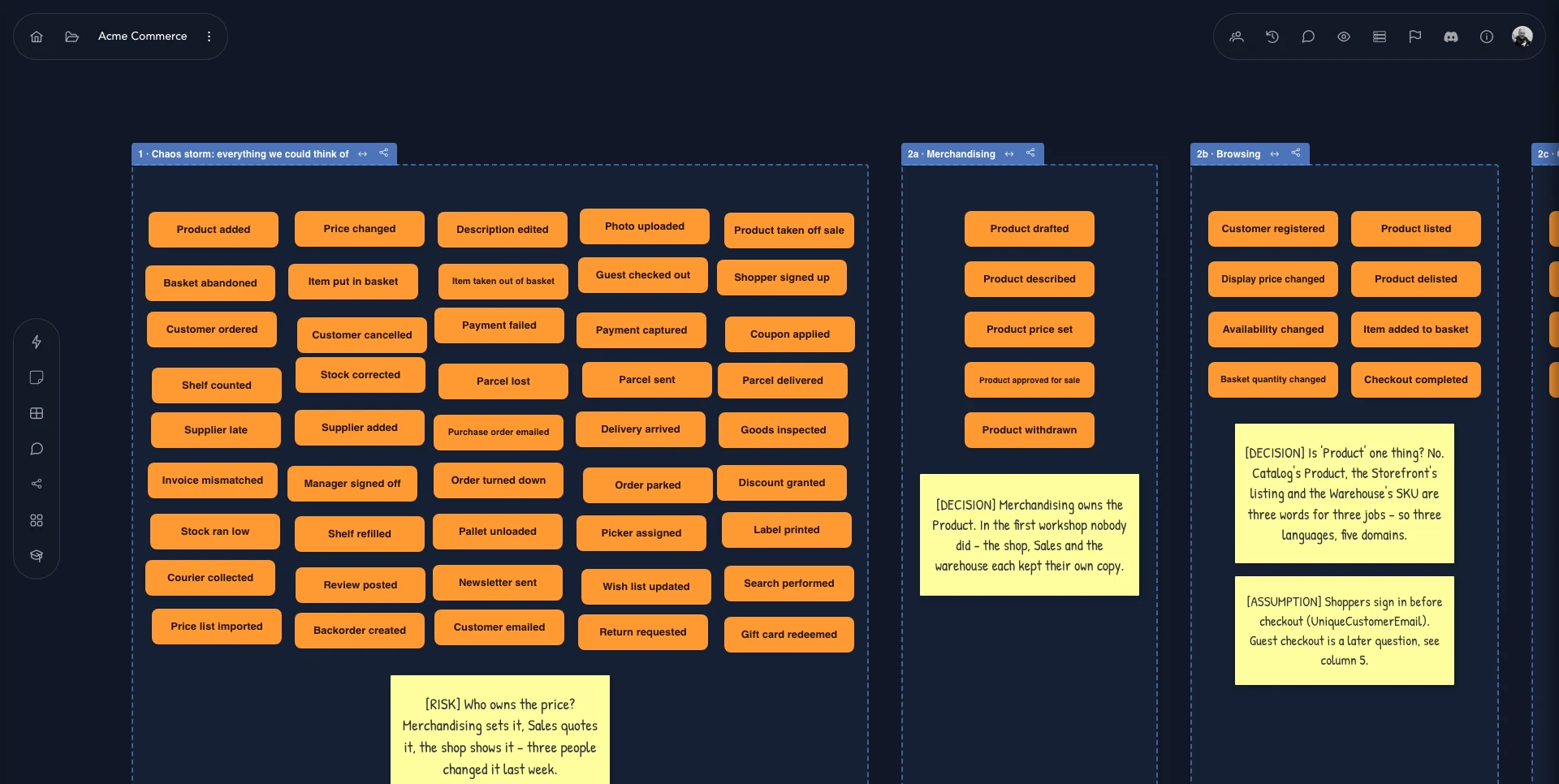
Get every event onto the board before anyone argues about shape. Then cluster them, name the areas, and write down what you decided — and what you're still unsure about.
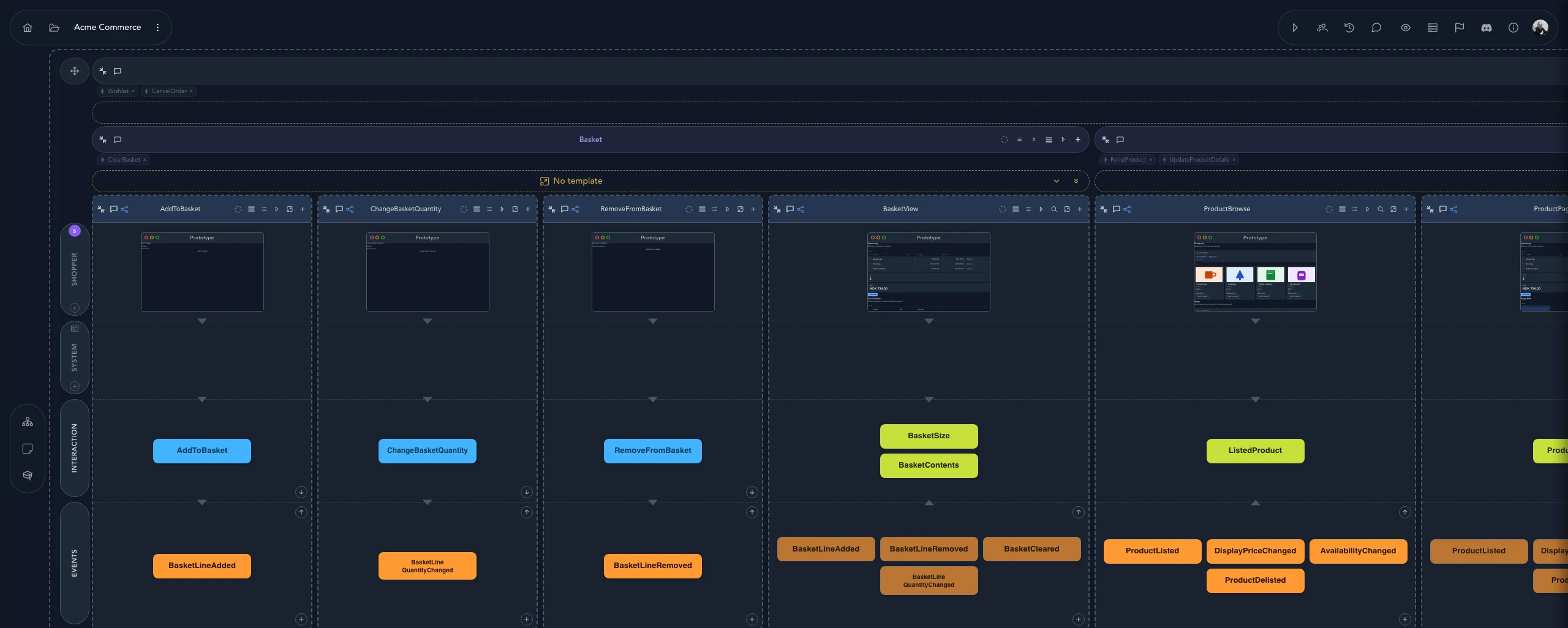
Each slice is one thing the system does: what the person sees, the command they send, the events that record it, and the read model that answers back. Lanes for personas and the system keep it honest.
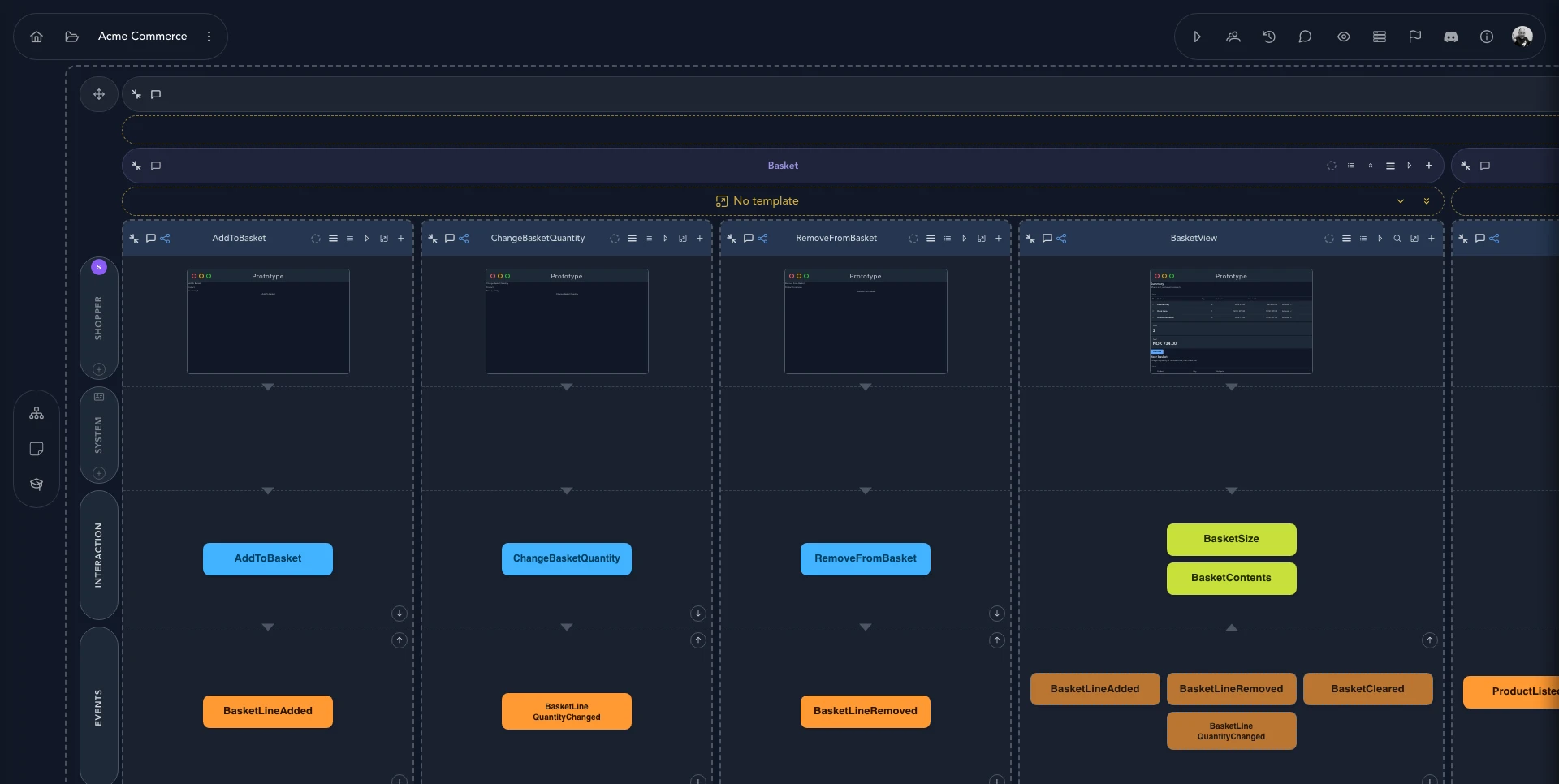
BasketView read model that listens to their
events, and a prototype for each screen.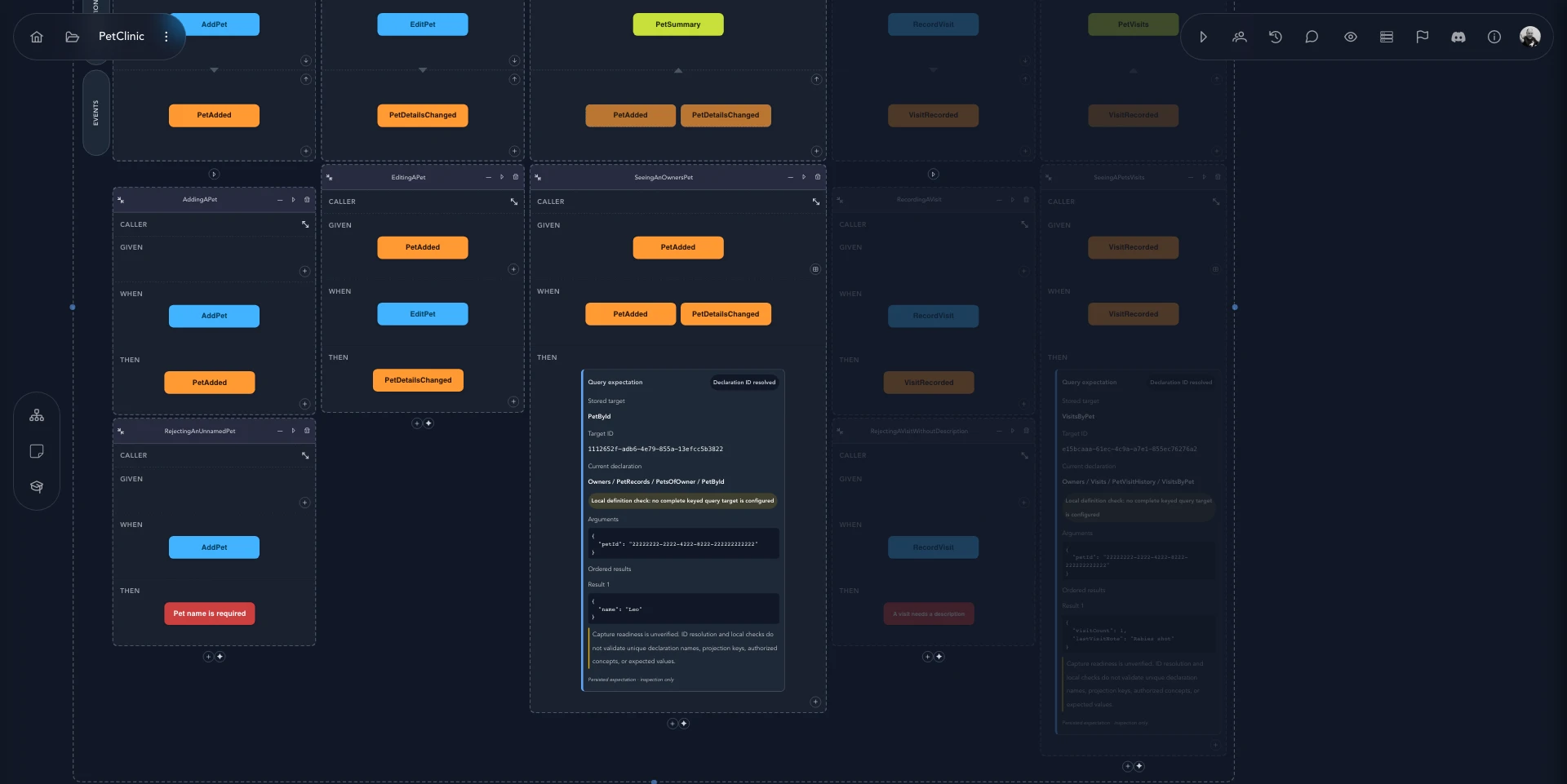
PetAdded; adding one without a
name is rejected with “Pet name is required”.Describe what should happen as Given, When, Then — using the same events and commands as the model. They are the regression suite and the shared definition of done.
Give each application a look and a shell with a UI profile, then build screen templates with slots your slices fill in. See your product take shape against sample data while the model is still fresh.
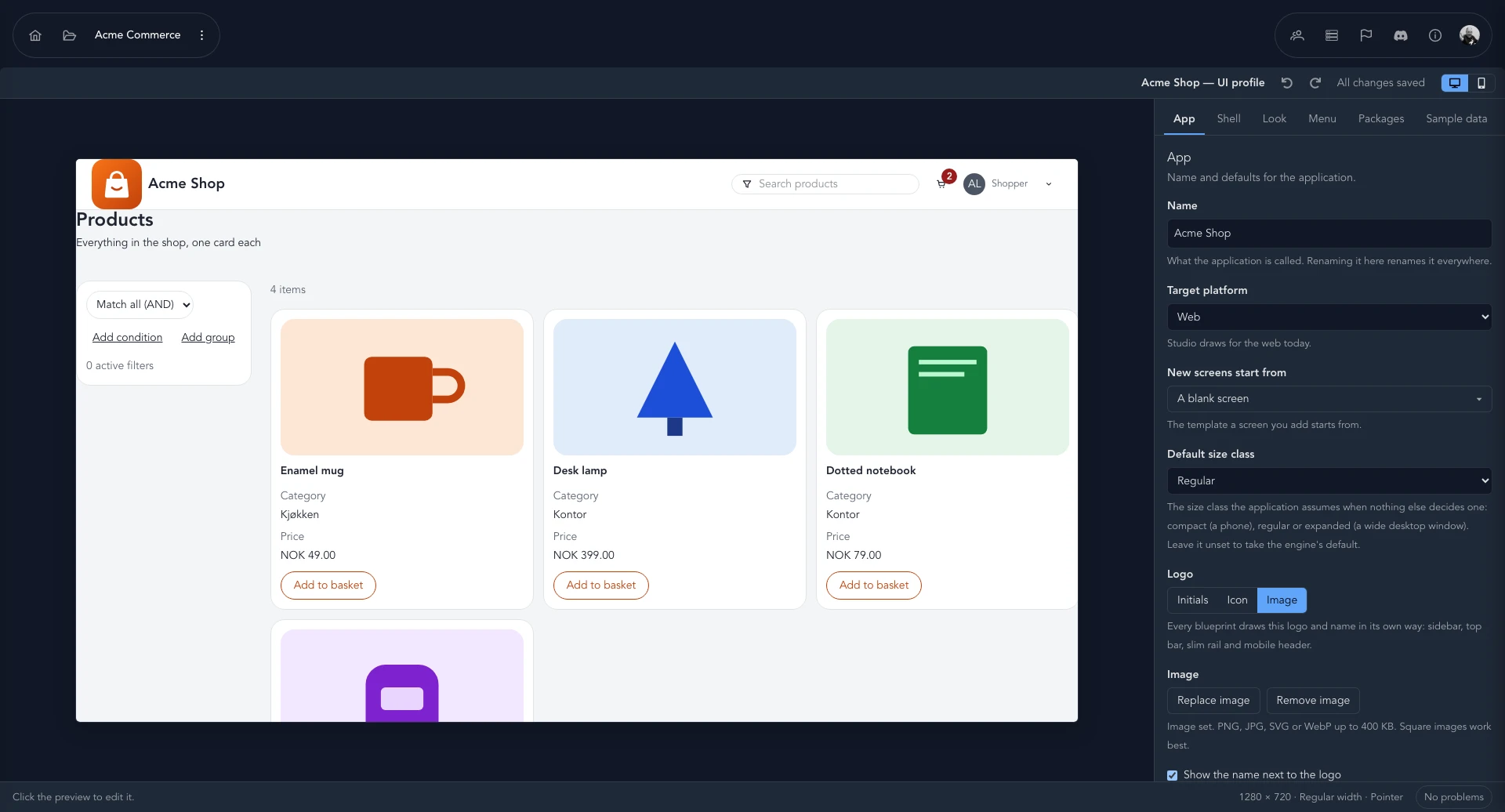
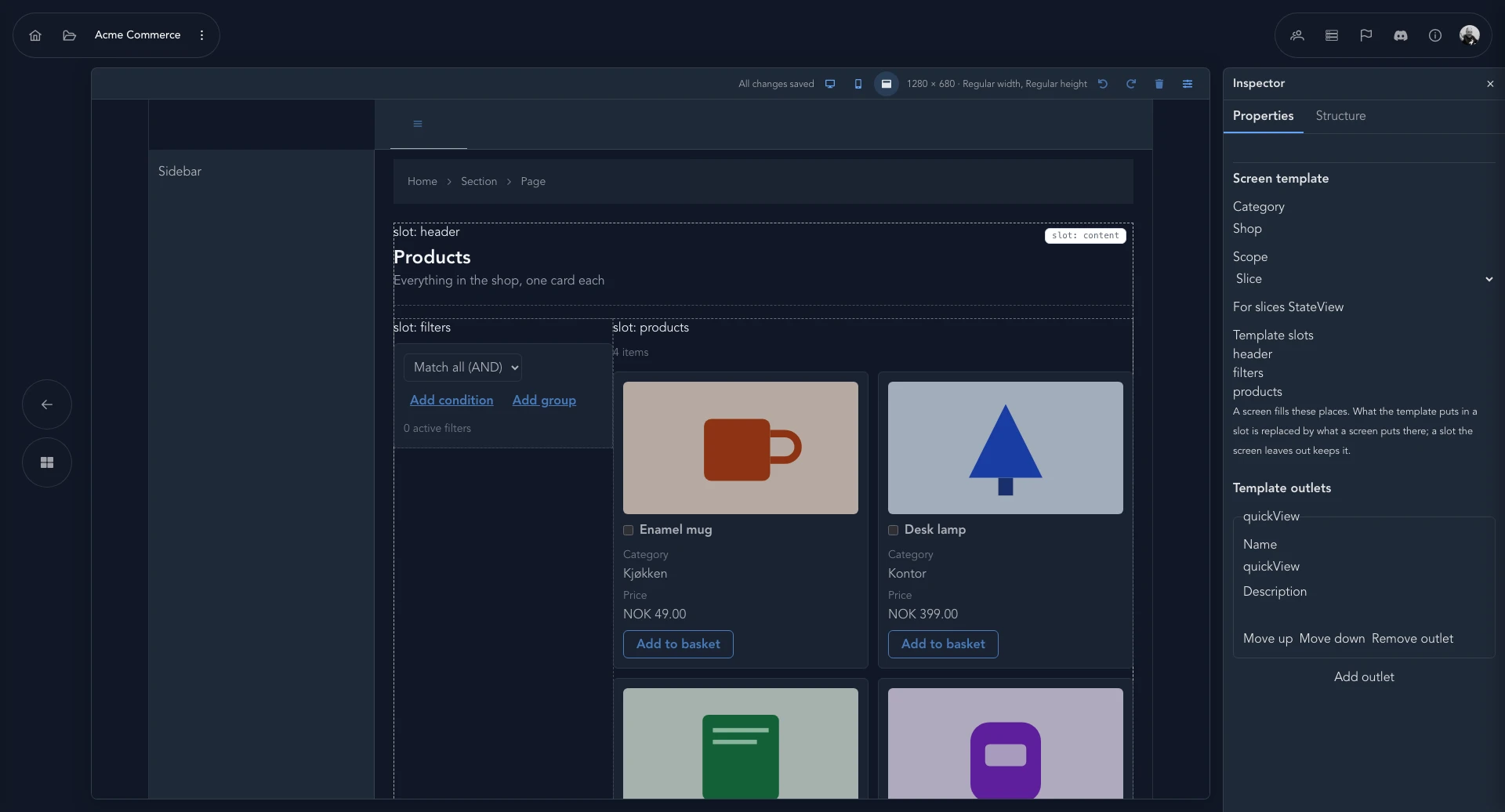
Dump every event on the canvas. Cluster them, name the areas, and write down decisions and risks as you go.
Turn events into slices with commands, read models and screens — one behavior at a time.
Write the Given / When / Then, shape the screens, and talk changes through with your agents.
Generate code from the model, and keep changing the model first as requirements move.
Studio is multiplayer by design. People and agents share the model, and the human stays in the loop on what matters: how workflows fit together, what is valuable, how it feels.
Every board has a prompt bar. Ask for a change or a question answered, in the context of the board you're looking at.
See who is on the board and where their cursor is. Developers, domain experts and product owners edit the same living model together.
Organize work into projects with several applications, each with their own domains, event models, screens and policies.
Mark a project as a keeper and it can't be renamed or deleted by accident until protection is lifted deliberately.
Generate type-safe code from your model so what you designed and what you run don't drift apart. More on the way.
Studio is built on Cratis Chronicle. Everything that happens is kept as an event, so nothing valuable is thrown away.
Agents learned from code written by humans for humans, at every level of quality. Studio gives them a firmer foundation to stand on. Read the vision →
Nothing is overwritten and nothing is lost — the history is there for new features and new questions.
One behavior, end to end. Small enough to specify, review and change on its own.
People own the design and the value. Agents do the legwork against a model they can't misread.
Given / When / Then keeps quality and regression part of the design, not an afterthought.
Start with a 14-day free trial. Prices exclude VAT.
1 seat
€12.00/mo
€12.00 per seat / mo
Save 15% €122.40 billed yearly
3 seats
€30.00/mo
€10.00 per seat / mo
Save 17% €298.80 billed yearly
10 seats
€80.00/mo
€8.00 per seat / mo
Save 20% €768.00 billed yearly
50 seats
€300.00/mo
€6.00 per seat / mo
Save 22% €2,808.00 billed yearly
Cratis Studio is a collaborative platform for event modeling, event brainstorming, and domain-driven design. Teams use it to model commands, events, and read models before writing production code — learn more in the event modeling documentation.
Studio is for developers, domain experts, and product owners who want a shared understanding of how their system behaves. They can edit the same living model in real time; see team collaboration and other features.
Studio is built on Cratis Chronicle, an open-source event-sourcing platform for .NET. Studio provides collaborative modeling, while Chronicle captures state changes as immutable events — explore the Cratis documentation.
Studio generates C# commands, events, and projections from a slice into your connected repository. An AI agent can then refine the generated code for you to review, as described in how it works.
Yes — sign up and start a 14-day free trial. After that Studio is priced per seat; see the pricing and the terms and conditions.
Yes — Studio captures every state change as an immutable event, giving you an append-only audit trail. You can replay history into new projections; see why Studio is built on event sourcing.
Your privacy matters. Read how Cratis Studio collects, uses and protects personal data in our privacy policy, and what you agree to when you use the service in the terms.
Create your organization and start a 14-day free trial. Bring the team — then bring the agents.
